Step 2-2-1: Configuring Mediant CE SNMP Connection with OVOC in Cloud using Stack Manager
This step describes how to configure the SNMP communication between the OVOC server deployed in the Azure Cloud and the Mediant CE using the Stack Manager.
| ➢ | To configure the Stack Manager: |
| 1. | Log in to the Web interface of the Stack Manager that was used to create Mediant Cloud Edition (CE) SBC. Refer to Stack Manager for Mediant CE SBC User's Manual. |
| 2. | Click the "Mediant CE stack". |
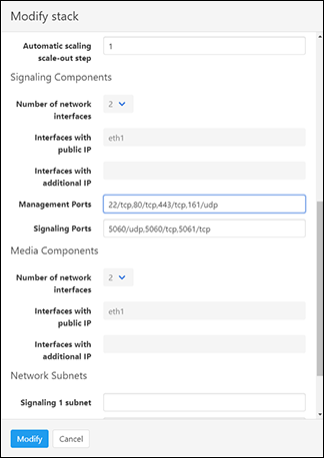
| 3. | Click the Modify button and append 161/udp port (for SNMP traffic) to "Management Ports" parameter. |
| 4. | Click Update to apply the new configuration. |
Modify Stack